Steeltoe

For landscape contractors

Every crew, every property.
Run it all by talking.

Your crews say what went in the ground. Steeltoe turns it into pickups, mower and truck repairs, sod and plantings counted against the job, and the bill in your customer's format.

Get a demo
The film · Landscaping1:59 · Sound on

How it works

Steeltoe / 01

Four things
that eat the week.

Each one the way it plays out in the film: what was said, what Steeltoe did with it, and the screens it lands on.

01 / Tasks

Stuff gets left behind.

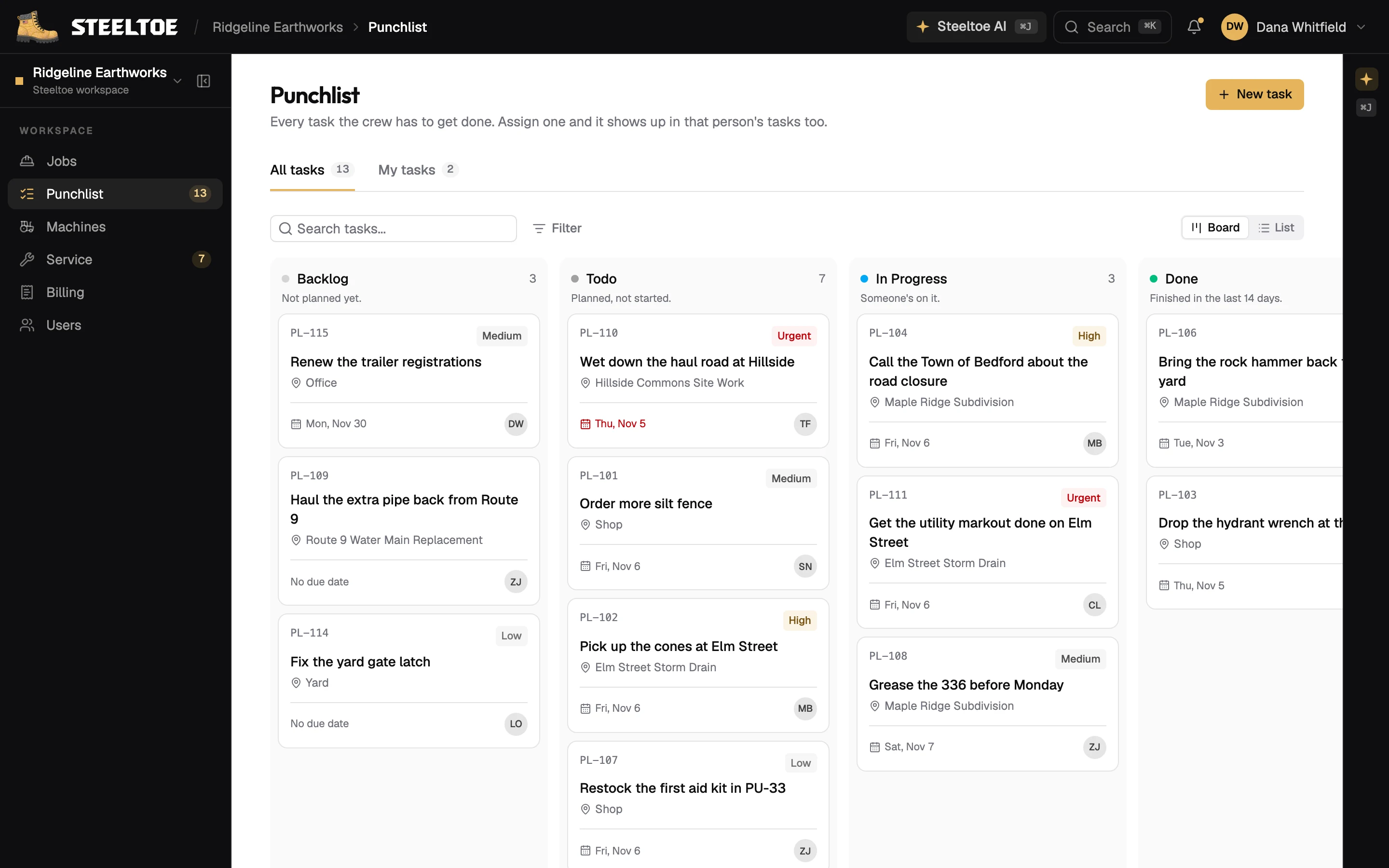
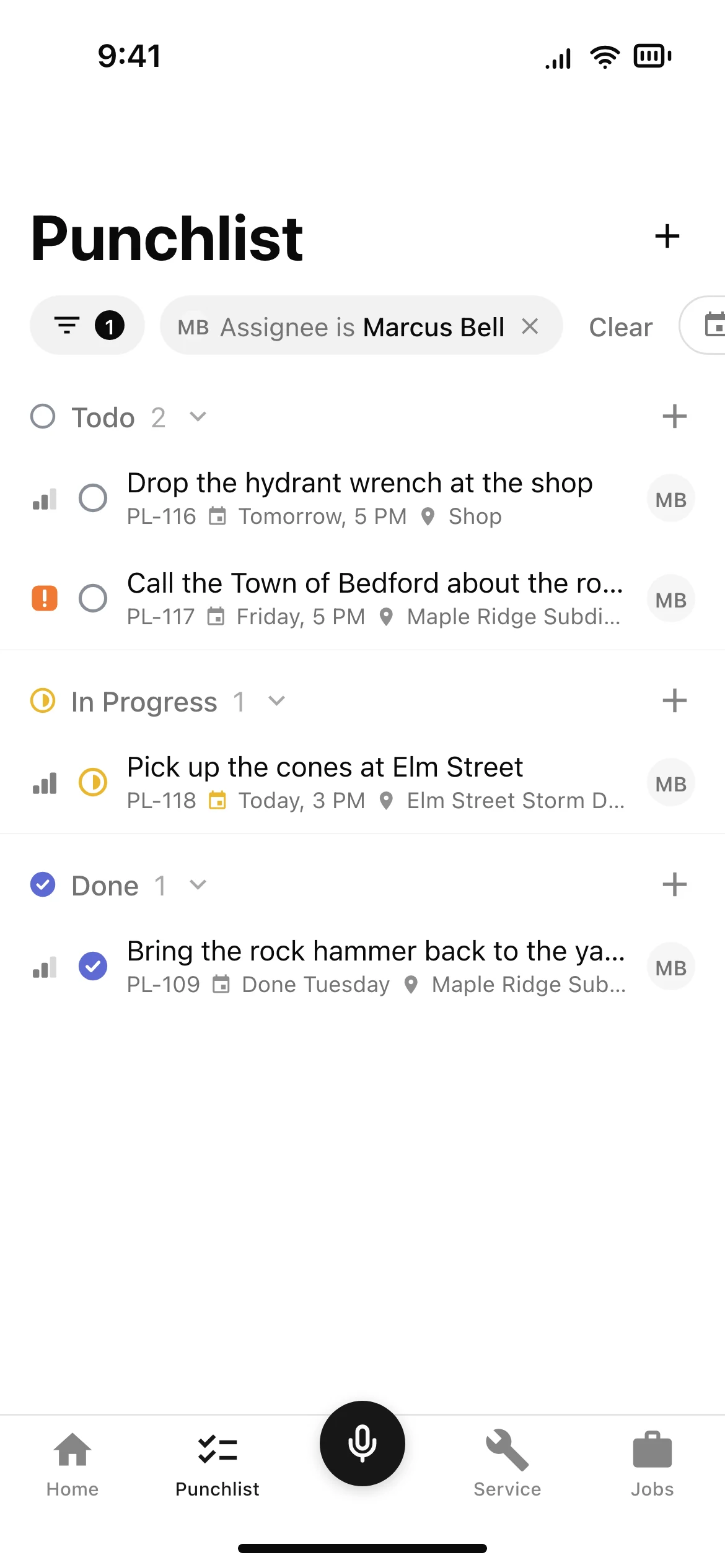
Say who, what and when. Steeltoe writes the task, assigns it, sets the due date and puts it on their phone. It shows up on the company Punchlist and on the job, too.

Wes, from his truck

“I need to create a task for Danny Reyes to pick up these leftover pavers and the compactor by the end of the week and bring them back to the yard.”

Steeltoe AI

  • Task for Danny Reyes
  • Due Friday, 5 PM
  • On Danny's phone
From the film · Landscaping0:10 – 0:33
app.usesteeltoe.com/punchlist
The Punchlist, and the crew's tasks
The Punchlist, and the crew's tasks, on the phone
In the app · The Punchlist, and the crew's tasks

02 / Repairs

Mowers go down.

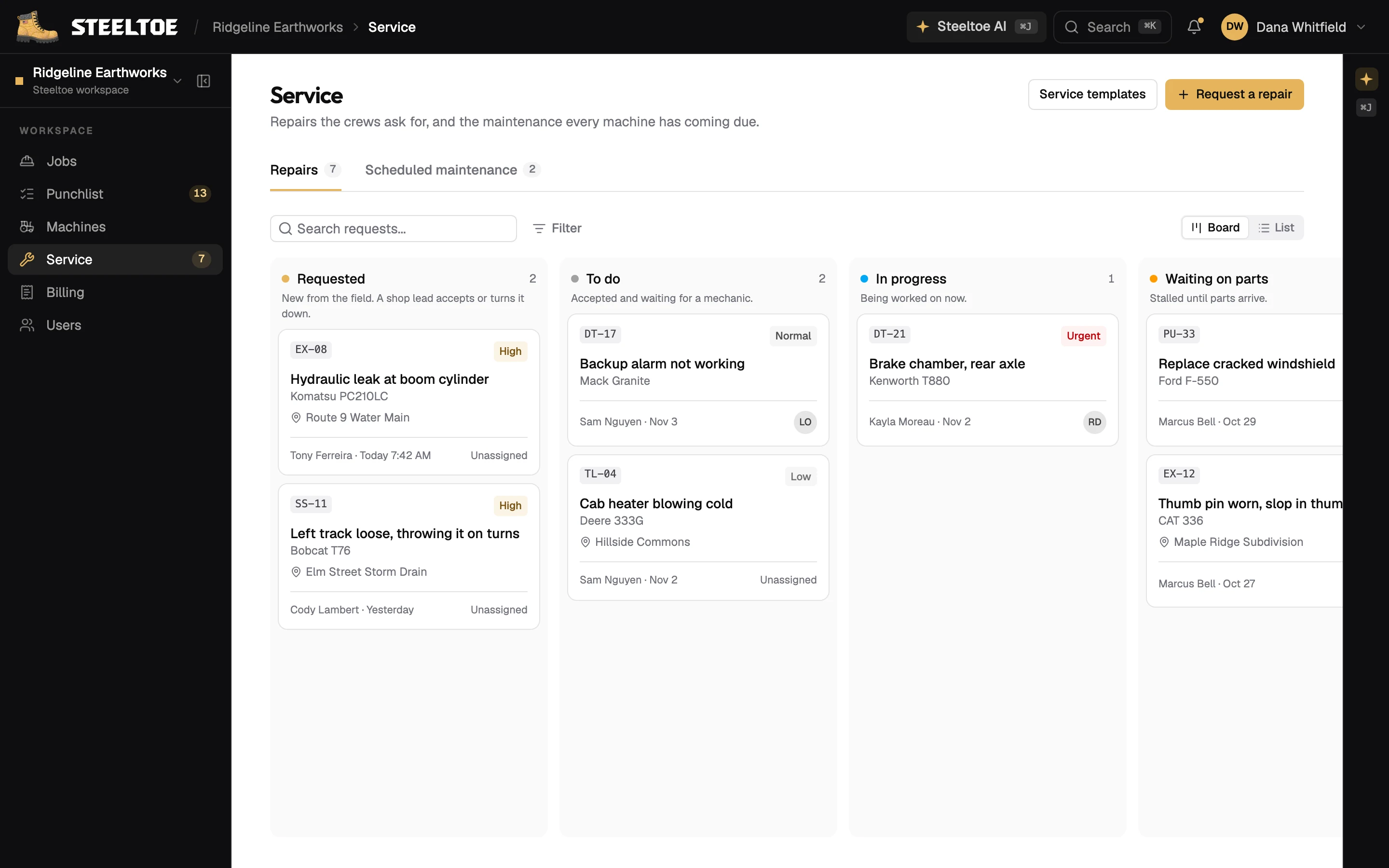
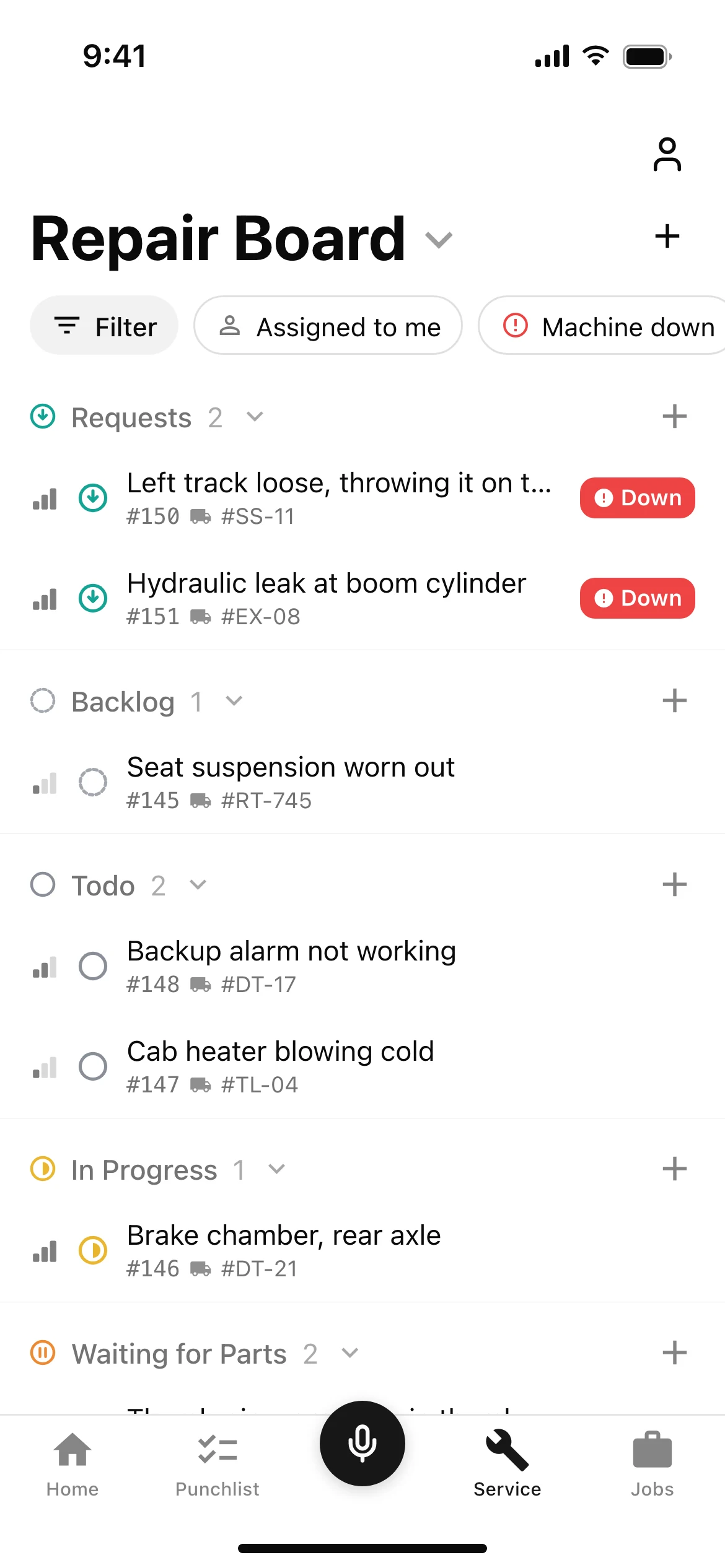
Whoever is running it says what's wrong. Steeltoe writes up the repair with the voice note attached and puts it on the shop's board, where the shop lead sets the priority and hands it to a mechanic.

The operator, on the mower

“Hey, mower 12's deck belt is shredded. Blades won't engage.”

Steeltoe AI

  • Repair written up, voice note attached
  • Marked urgent
  • Sent to Ray in the shop
From the film · Landscaping0:42 – 1:08
app.usesteeltoe.com/service
The repair board, and Service on the phone
The repair board, and Service on the phone, on the phone
In the app · The repair board, and Service on the phone

03 / Job tracking

Who knows what got done?

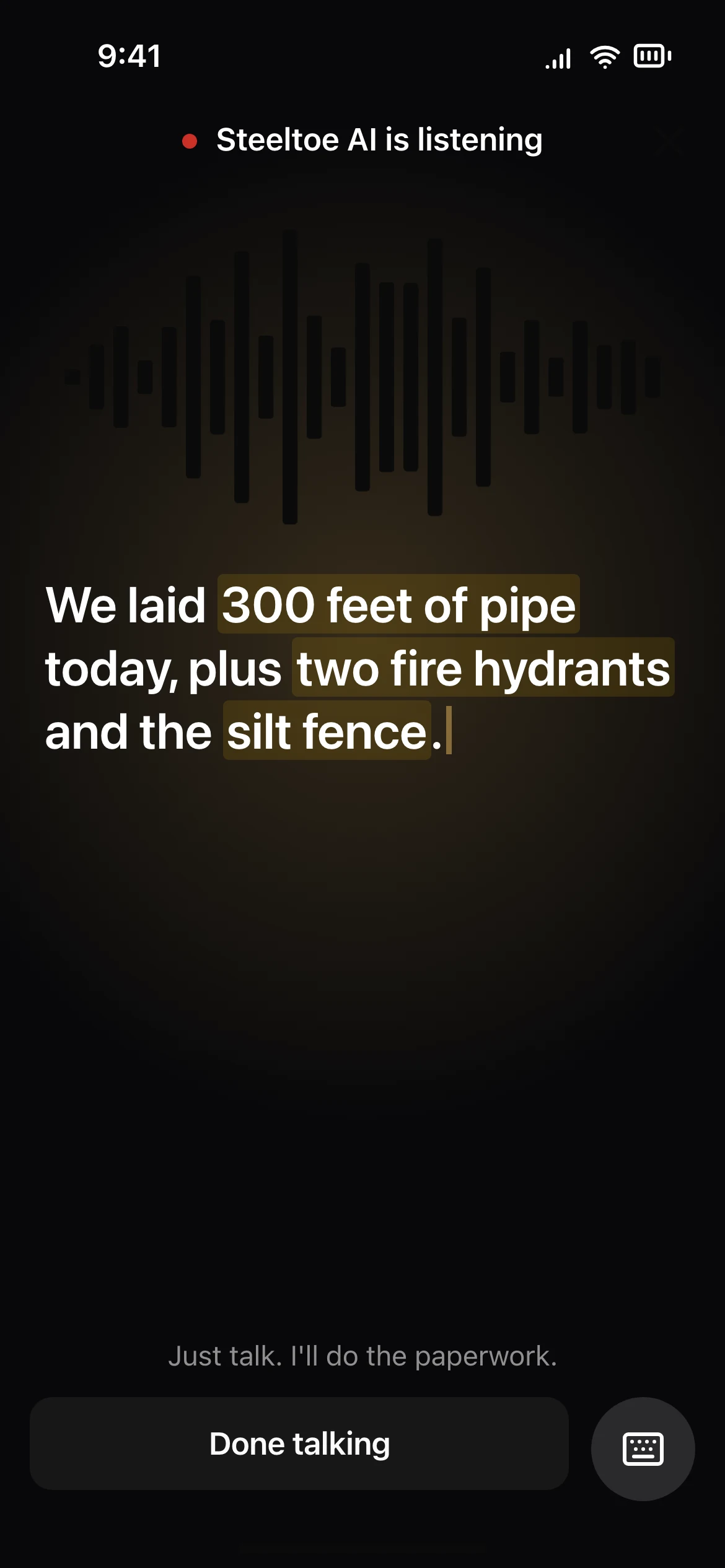
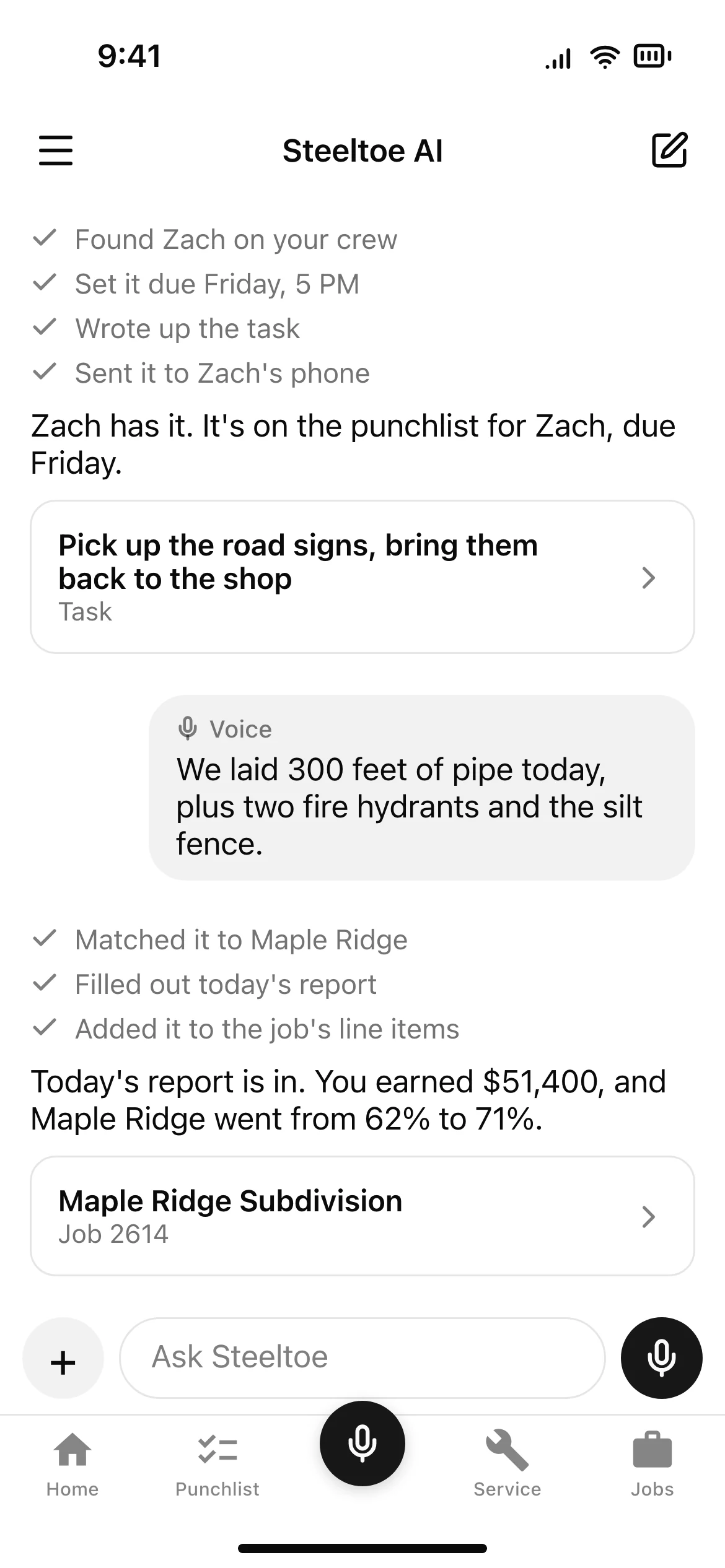
At the end of the day, the foreman talks through what got done. Steeltoe fills in the daily report and counts it against the job's line items, so percent complete moves on its own.

The foreman, end of day

“We laid 15 pallets of sod today, planted 12 maples, and got irrigation zones five through eight running.”

Steeltoe AI

  • +6,750 SF of sod
  • +12 red maples
  • Irrigation zones 5–8: running
From the film · Landscaping1:08 – 1:32
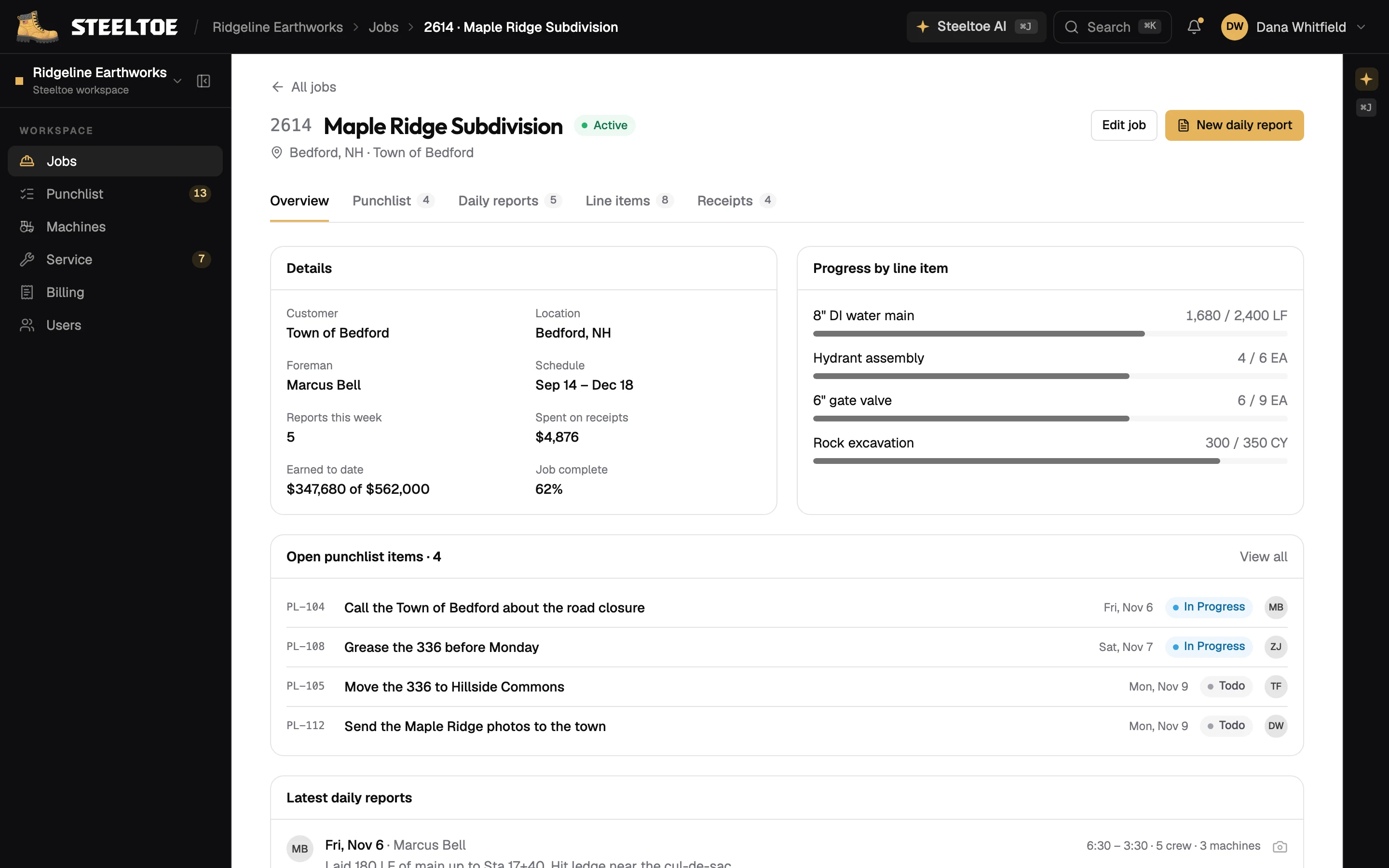
app.usesteeltoe.com/jobs/2614
The job, and a field report by voice
The job, and a field report by voice, on the phone
In the app · The job, and a field report by voice

04 / Billing

Then someone has to bill it.

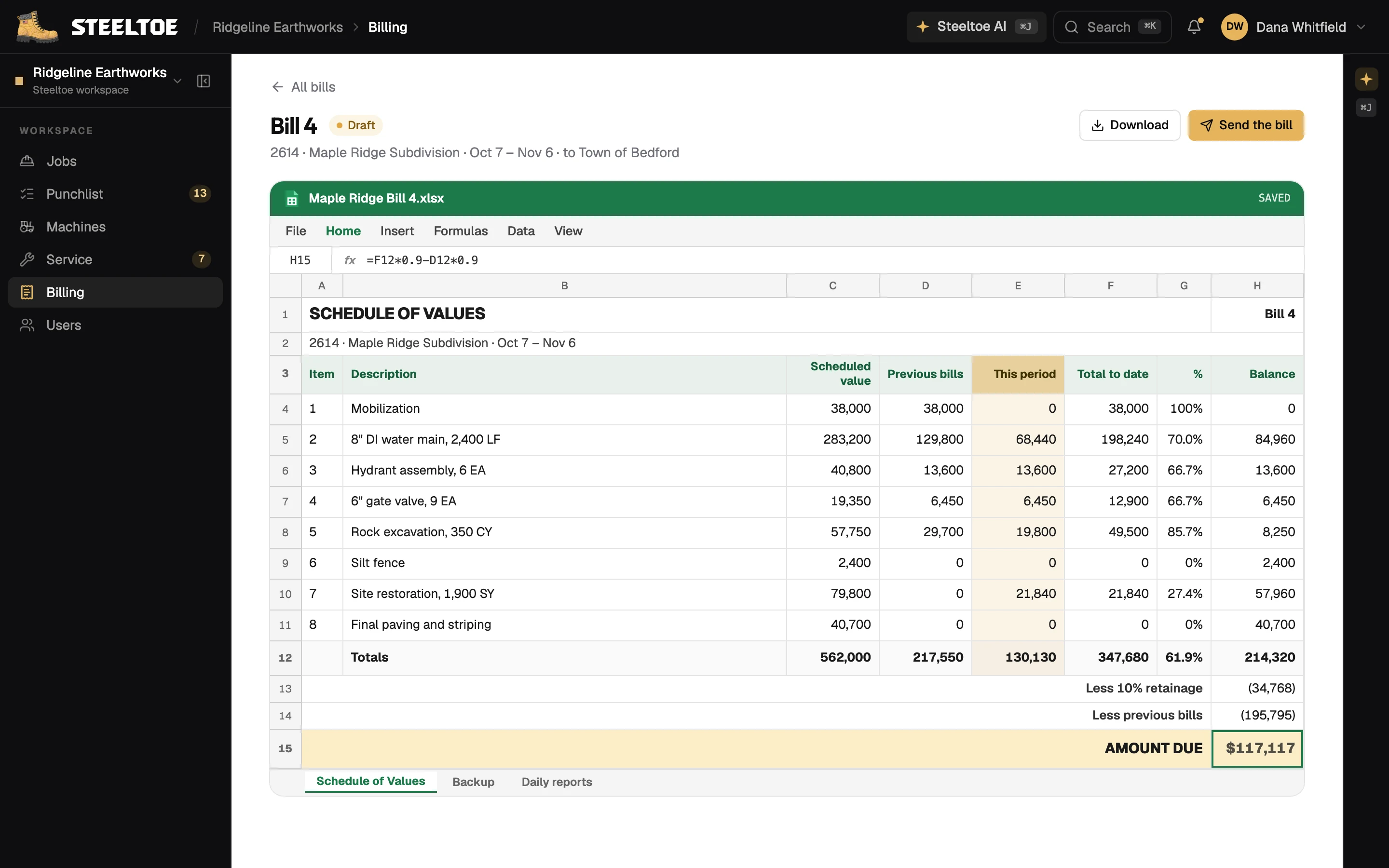
Drop in the customer's own spreadsheet and ask for the bill. Steeltoe reads their columns, pulls the month's daily reports, does the math and hands back their sheet, filled in.

The office

“Here's our billing sheet. Take this month's job data and make the Schedule of Values.”

Steeltoe AI

  • Read your sheet: 9 line items, your columns
  • Pulled 14 daily reports
  • Filled in Cedar Creek Bill 3.xlsx
From the film · Landscaping1:32 – 1:53
app.usesteeltoe.com/jobs/2614/billing
Billing, from the month's reports
In the app · Billing, from the month's reports

The agent

Steeltoe / 02

One AI that can do
anything you can.

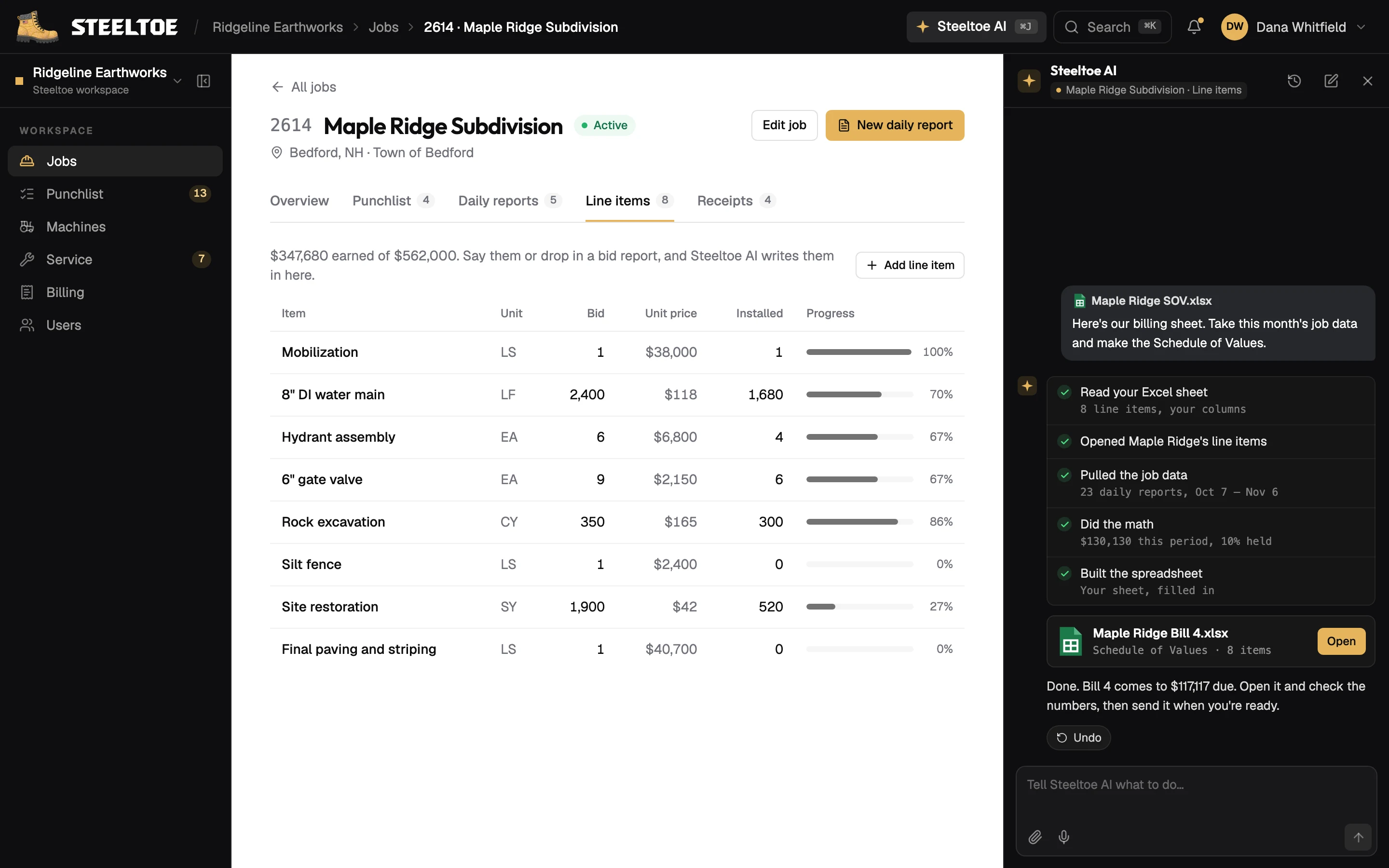
Every button in Steeltoe, the AI can press too: by voice from the phone, or typed in the office. It works with your permissions, so it can't do anything you couldn't.

app.usesteeltoe.com/jobs/2614
Steeltoe AI, in the office and on the phone
Steeltoe AI, in the office and on the phone, on the phone
In the app · Steeltoe AI, in the office and on the phone
01

Simple on the phone

Big buttons and a microphone, for crews who would rather talk than type.

Voice notes / Photos / Big buttons

02

Clear in the office

Boards and lists for tasks, repairs and jobs, updating live for everyone at once.

Boards / Lists / Live

03

Money stays with admins

Prices, percent complete and billing are for admins only. Crews see the work.

Admin / Shop lead / Mechanic / Crew

Get started

See it on
your jobs.

We set Steeltoe up with your people, your equipment and your jobs. Then your crew just talks.